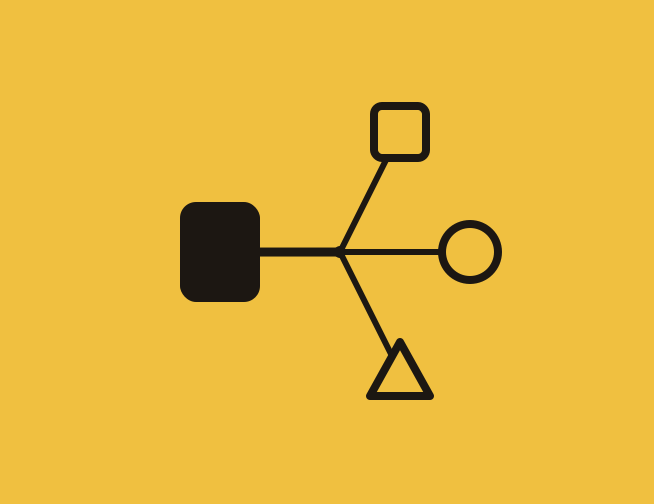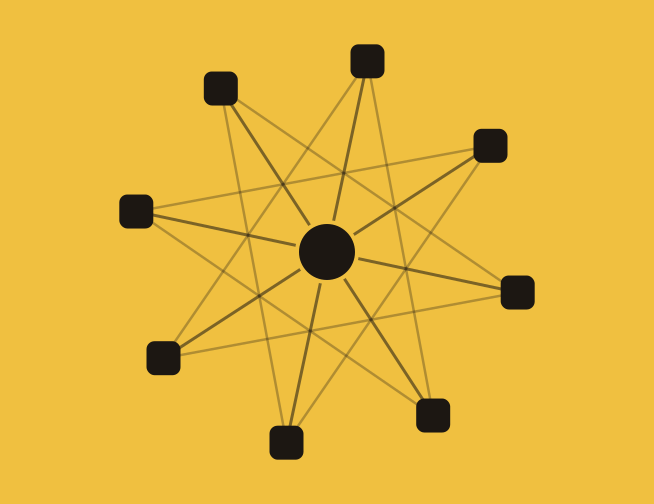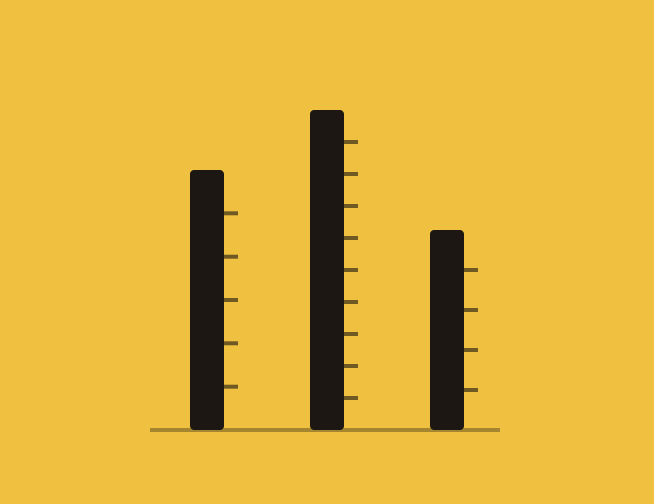
Every write-up about AI-native agencies reaches for the same toolkit: n8n for orchestration, LangGraph for reasoning loops, Temporal for durable workflows, a Postgres database somewhere underneath it all. That stack is real, and it works. It is also completely out of reach for a twenty-person agency without a developer on staff.
Here is the part that gets skipped: you do not need any of it to get most of the way there. Zapier, Make, Airtable, and a handful of AI-native drafting tools now cover intake, production, QA, client approval, launch, and reporting well enough that a founder with a Saturday afternoon and no code editor can build a working version. The three case studies above were not run by software companies. Rocket Fuel is a small agency. GrowthTurn is a productized SEO shop. Basilica is a creative studio. None of them hired an engineer to build what they built.
This piece walks through the same three-phase shape that shows up in every agency workflow diagram, intake and strategy, production and delivery, measure and learn, and rebuilds each phase with tools you can sign up for today. Where the fit is genuinely tight (a handful of steps still want an API call a no-code tool cannot make natively) that gets flagged rather than papered over.
The first phase is where agencies bleed the most hours without noticing, because each individual task feels small. Re-keying a signed deal into a project tool. Chasing a client for the same three files by email. Rewriting call notes into a brief nobody else reads. None of it needs a developer to fix.
The trigger event is a closed-won deal in whatever you use to sign contracts, PandaDoc, DocuSign, or a CRM stage change. Zapier or Make watches for that event and fires a chain: create a client record, spin up a Google Drive folder from a template, post a summary to a dedicated Slack channel. This is exactly the pattern behind Rocket Fuel's onboarding rebuild, where a single automation replaced the manual creation of customer profiles, service agreements, and folder structures that used to eat five-plus hours per client.

GrowthTurn's rebuild is the clearest version of this: an SEO agency doing productized work across fourteen different service packages was running roughly 154 manual tasks by hand across disconnected tools. They centralized everything into Airtable as the data hub, with Zapier moving information in from Service Provider Pro and out to ClickUp, Gmail, and Slack. Intake forms with built-in reminder logic replaced the follow-up emails a project manager used to send by hand, and the agency reported roughly 90% time savings on client data collection specifically. A no-code form tool like Typeform or Tally does the same job for a smaller shop: one adaptive form, branching by service type, that writes straight into your client database the moment it is submitted.
This is the step most agencies still do by hand, and it is the one AI drafting tools are genuinely good at. Feed a kickoff call transcript (Otter, Google Meet, Fireflies, or Zoom's built-in transcript) into a Make scenario that calls Claude or ChatGPT with a fixed extraction prompt: pull out personas, KPIs, tone constraints, and competitor names into a structured format. Write the result into a shared Notion page or an Airtable record everyone downstream reads from. Nothing here needs a vector database. A single well-templated document that the whole team opens beats a fragmented one that only the account lead remembers exists.
The honest gap here: fully autonomous, parallel research agents that run three investigation tracks at once and merge the findings are still easiest to build with orchestration code. The no-code version is close but not identical, it is closer to a checklist of three AI-assisted searches a strategist runs and pastes into the brief. That is a smaller ambition, and for most agencies under twenty people, it is also the right-sized one.
This is the phase with the clearest, best-documented results, because "AI drafts most of it, a human finishes it" is exactly what today's no-code AI tools are built for.
Airtable and ClickUp both support conditional automations: a new task tagged "social copy" routes to an AI-drafting workflow, one tagged "strategic positioning" gets assigned to a named specialist with the brief attached. This is a rules engine, not a reasoning system, and rules engines are exactly what no-code automation platforms were built to run reliably.
Two verified examples show what this looks like in practice. Basilica, a creative agency, connected Google Sheets, Google Docs, Claude, and Slack through Make to train an AI workflow on brand voice and generate blog posts, social copy, ads, and press releases from a single input. The result was a 167% increase in blog output and five to six hours saved per post, without adding headcount. GAP Consulting, a no-code consultancy, used a similar OpenAI-powered pipeline for video transcripts, titles, and descriptions, and went from publishing one piece of content a week to three.
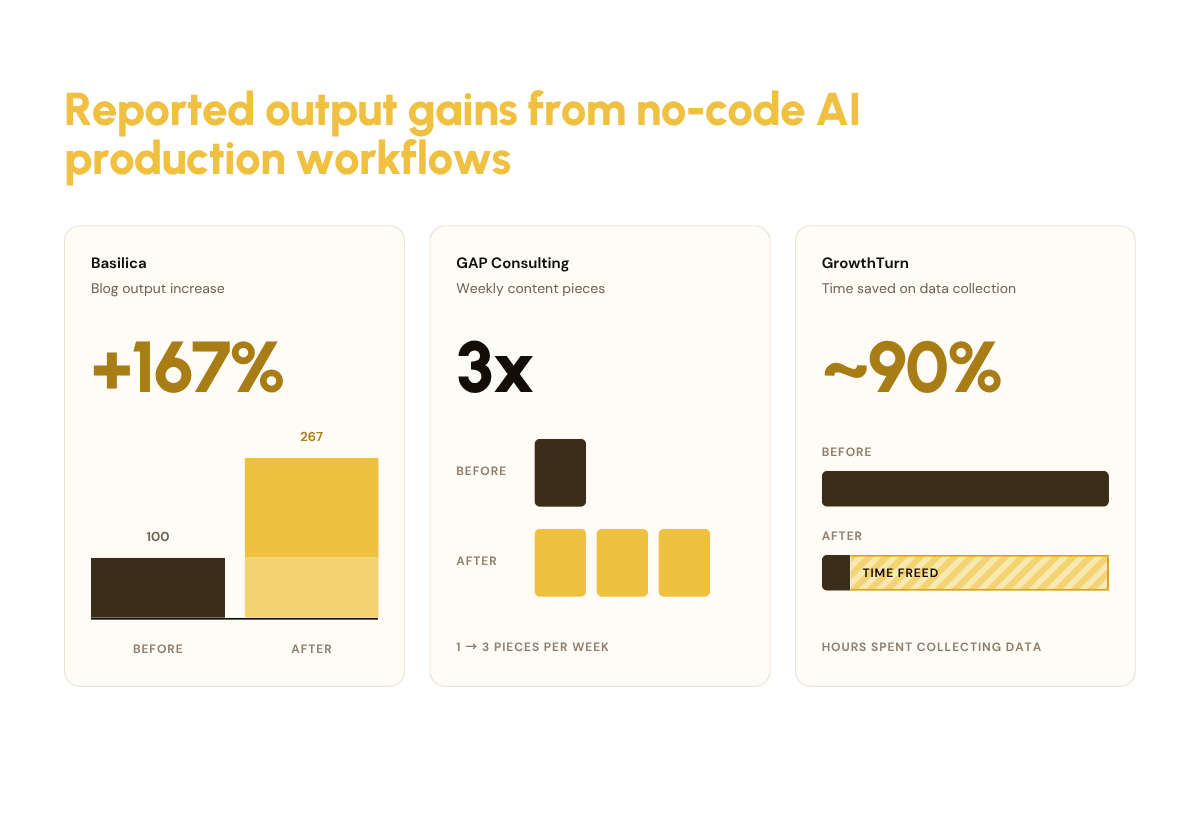
Sources: Basilica and GAP Consulting figures from Make.com's published case studies; GrowthTurn figure from Clickleo's case study. These are self-reported figures from the platforms and agencies involved, not independently audited.
None of these agencies describe AI finishing the work unsupervised. In every case, a person still edits, fact-checks, and approves before anything ships. The honest way to describe the split, without pretending to a precision no one has rigorously measured, is that AI-assisted drafting gets most projects most of the way there, and a human closes the gap. Treat any more specific percentage you read (including "80%") as an illustration, not a benchmark someone rigorously tested.
A lightweight version of an automated quality gate does not need a custom evaluation model. An Airtable status field with a formula that checks word count, required keywords, and a linked brand-voice checklist can auto-flag anything that is clearly off before a human ever opens it. This will not catch nuance. It will catch the drafts that are obviously too short, missing a required disclaimer, or off-brand in a way a rule can detect, which is most of what used to eat a reviewer's time on the easy cases.
The step agencies underrate most: a no-code client portal. Tools like Softr build a branded, password-protected portal directly on top of an Airtable base, so a client sees exactly the assets waiting for their sign-off and can approve or comment with one click. No custom app, no engineer, and because it reads live from the same base the rest of the workflow uses, a days-long client delay does not lose any state. The record just sits at "awaiting approval" until someone clicks.
Zapier and Make both have native connectors for Meta Ads, Google Ads, and most major CMS platforms, so pushing an approved asset live can be automated the same way everything before it was. The limitation worth naming plainly: verifying that a tracking pixel fired correctly, or catching a subtle campaign misconfiguration before spend starts, is the one place where a custom script genuinely outperforms a no-code chain. Most agencies solve this with a human spot-check on the first campaign of each new type, then trust the automation for repeats.
The last phase is where a lot of agencies quietly give up on automation, because "watch performance and alert someone" sounds like it needs custom infrastructure. It mostly does not.
Zapier and Make can both poll ad platform APIs on a schedule and compare the latest numbers against a threshold you set, spend pacing, cost per lead, a conversion-rate floor. When a number crosses the line, the automation posts to Slack or, for platforms that support it, pauses the campaign directly. This is a much blunter instrument than a purpose-built anomaly-detection model, and that is fine. Most budget overruns and creative fatigue problems do not need statistical sophistication to catch, they need someone to notice within a day instead of at the end of the month.
Airtable's native reporting views and interface designer can turn a table of campaign metrics into a client-ready dashboard without exporting to a slide deck by hand. Orbflo has written separately about what a rigorous version of this looks like department by department, in How to Measure AI's Impact, and the same discipline about picking metrics that mean something applies whether the dashboard is custom-built or assembled in Airtable over a weekend.
The hardest habit to automate is also the one with the highest return: writing down what worked. A shared Notion database of "what worked / what didn't" per campaign, tagged by client and channel, becomes something Claude or ChatGPT can search before drafting the next brief, the same compounding effect the original AI-native blueprint gets from a vector database, built instead from a database anyone on the team can read and edit directly. Orbflo's guide to tracking AI-assisted work without losing trust covers the governance side of this same habit in more depth.
Most agencies that have "adopted AI" are sitting at level two, one automated workflow bolted onto an otherwise unchanged agency. That is the exact pattern behind why most AI pilots never scale: the tool works, but the workflow around it was never rebuilt, so the gains stay contained to whatever that one Zap touches. Getting to level four does not require a developer. It requires picking one database and routing everything through it, which is a sequencing decision, not a technical one.
Where to start
Before wiring up a single Zap, it helps to know exactly where your agency's operating system is leaking time today. Orbflo's AI Operating System Scorecard maps that out in about ten minutes, no code and no consultant required.
Take the AI Operating System Scorecard →
No. Every workflow described here is built with point-and-click tools, Zapier, Make, Airtable, Softr, and standard AI chat interfaces. The one place a script genuinely helps is complex conditional logic across many steps, and even then most no-code platforms now support a small embedded code block for that one step, rather than requiring a full custom build.
Start with whichever single workflow currently costs the most hours, not the most exciting one. For most agencies that is onboarding, because it repeats on a fixed schedule and the steps rarely change client to client. Rocket Fuel and GrowthTurn both started there before automating anything else.
Three places: fully parallel multi-agent research that needs true concurrency, precise API-level verification (like confirming a tracking pixel fired correctly), and very high-volume workflows where per-task pricing on platforms like Zapier or Make starts to add up. None of these are reasons to avoid no-code entirely, they are reasons to know which two or three steps might eventually justify a developer, once the rest of the system has already proven itself.





The AI Operating System Scorecard is a diagnostic tool that measures whether your business is structurally built to make AI compound, across nine dimensions including how decisions get made, how clearly your processes are defined and how your team is using and integrating AI.
The output is a clear view of where your biggest leverage gaps are and where to focus first.


One practical AI operating-system insight bi-weekly.
No fluff, no spam.

© 2026 AV Ventures Limited trading as Orbflo | All Rights Reserved